 harness-deck

A pane of glass for agent output.
Chat is where you talk to the agent. harness-deck is where the agent shows you things: reports, mockups, comparisons, approvals and decisions that survive a context clear. One local dashboard, every harness, every project.
brew install taylorfinklea/tap/harness-deck
or go install github.com/TaylorFinklea/harness-deck/cmd/harness-deck@latest
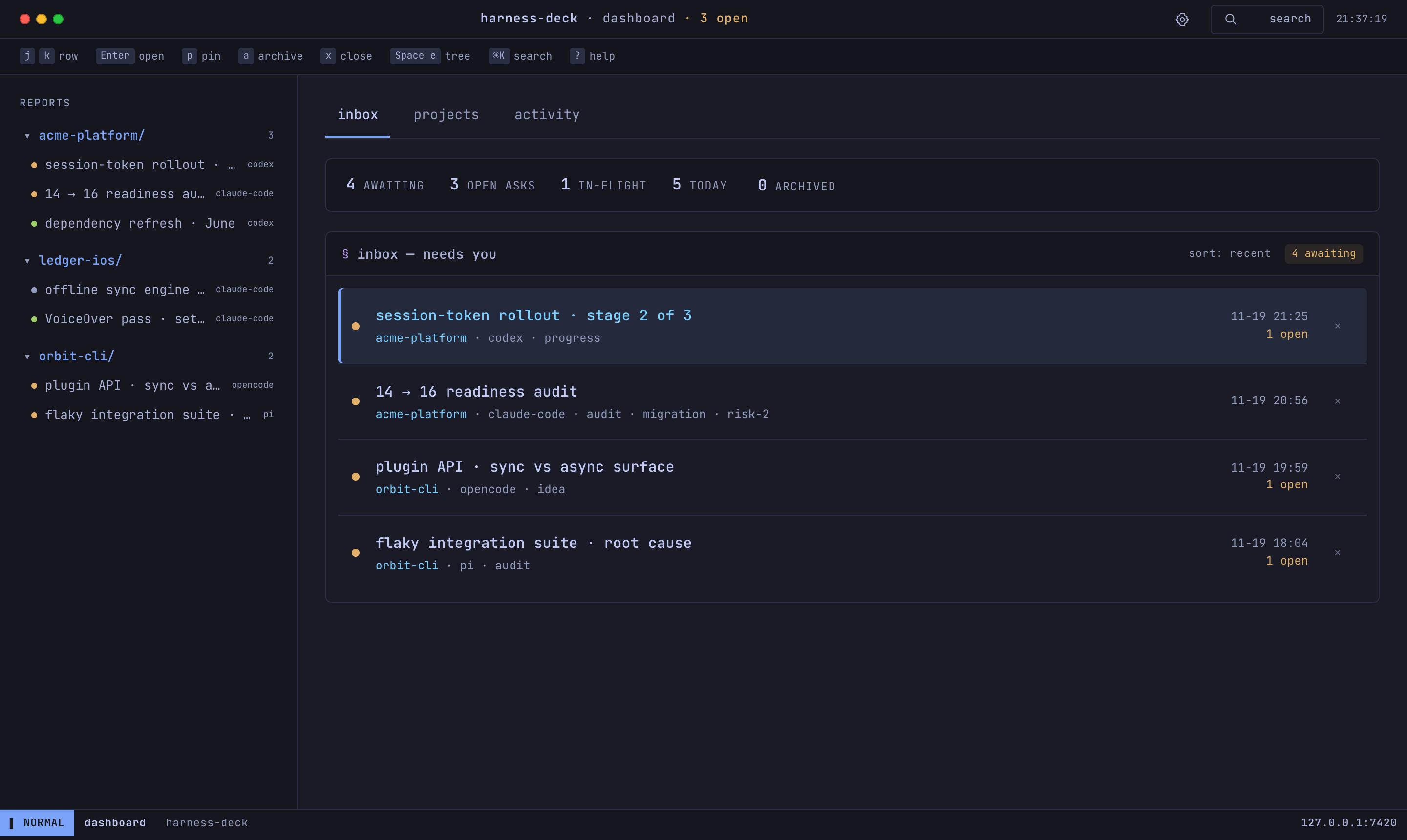
One local dashboard for every AI coding harness,
and every project they touch.
Agents write a structured JSON manifest. harness-deck renders it into a consistent, terminal-styled page and aggregates every report into one live view. It speaks one contract, so it doesn't care which tool produced the work.
Claude Code
Codex
OpenCode
Pi
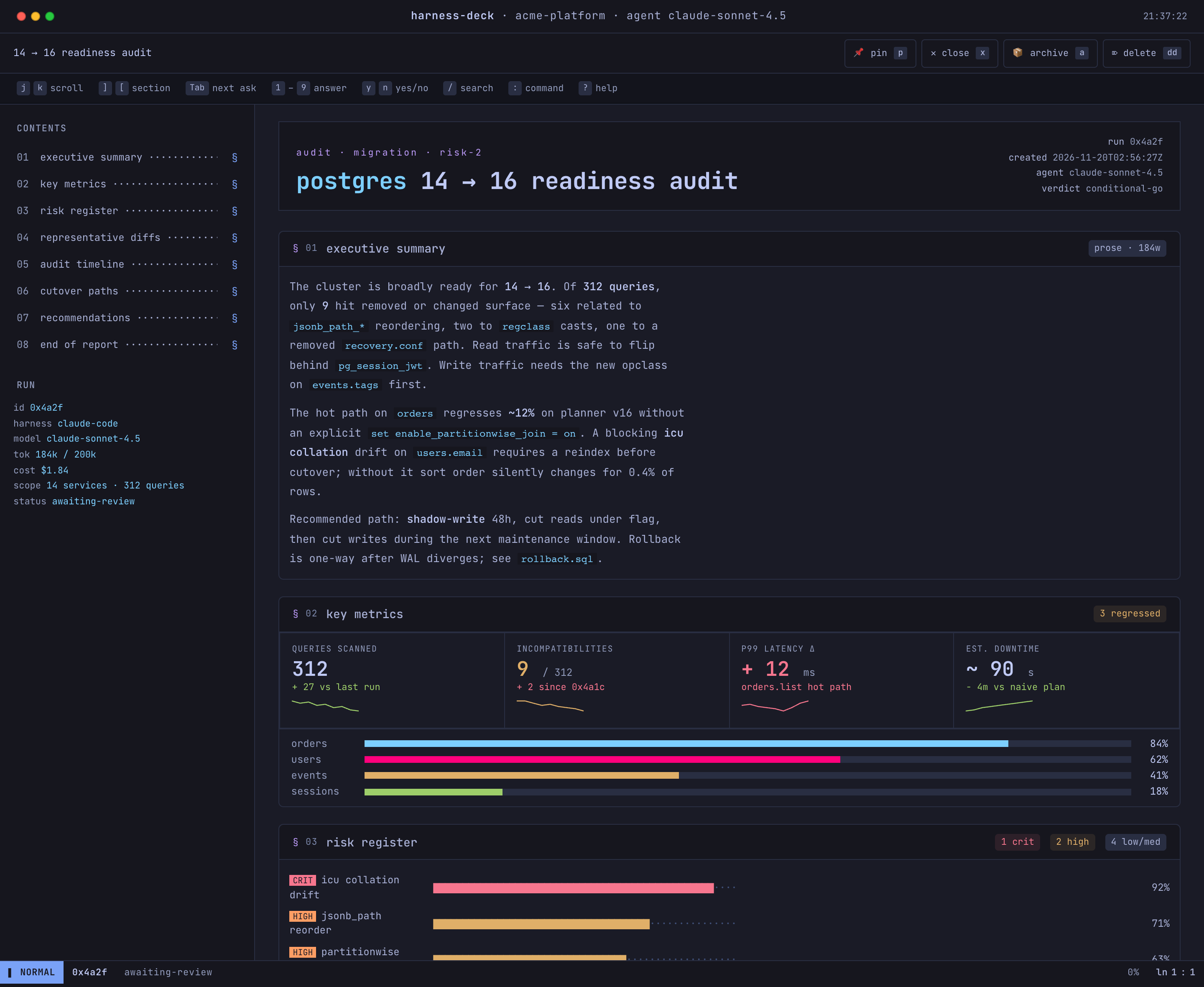
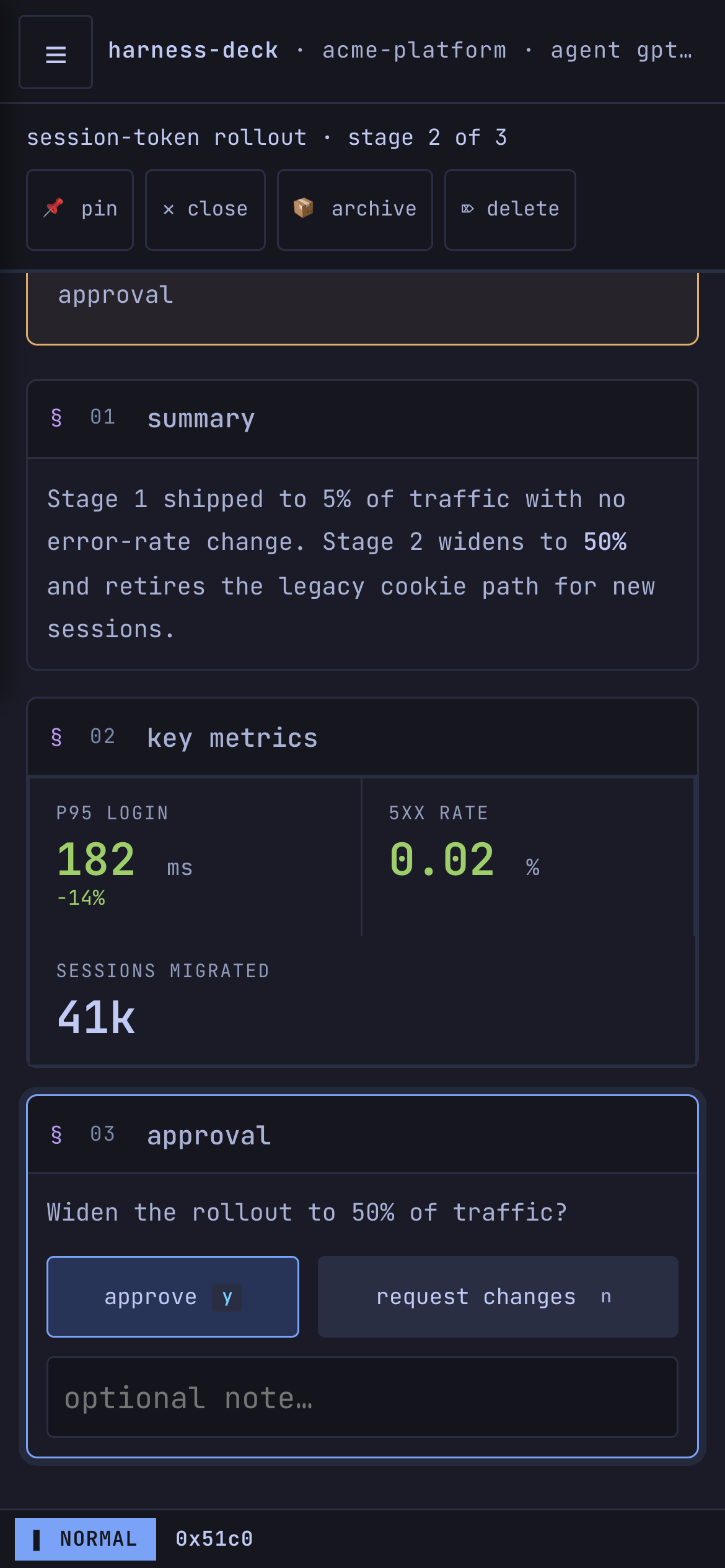
A one-way pipeline with a file-based answer loop.
Any harness writes a manifest. harness-deck renders and aggregates it. Your answers to interactive blocks go straight back to the agent as a file, with no socket to keep alive.
report.json
A structured manifest: reports, mockups, comparisons, or an interactive ask, decision or approval.
{ "type": "approval",
  "id": "stage2",
  "prompt": "Widen to 50%?" }
one live dashboard
Consistent pages, aggregated across every project, pushed to open browsers over SSE. You read, react and answer in place.
scan → render → serve
responses.json
Your answer lands beside the report and a notification fires. The agent picks it up and continues.
{ "value": "approved",
  "note": "ship it" }
↺ two-way: the dashboard isn't just a viewer; it's how you reply to the agent.
Six decisions that define harness-deck.
Each one is recorded, with what was rejected, in the repo's decision log.
The renderer owns every byte
Agents write typed blocks. Every report looks the same, and old reports restyle when the renderer improves.
Two-way by design
Answer an ask, decision or approval; your reply goes back as responses.json plus a notification.
Local and single-user
A Go server on your machine. No cloud, no accounts, no telemetry. Nothing leaves it unless you add a Slack or webhook destination.
Zero dependencies
A stdlib-only Go binary. No npm, no build step. The Markdown renderer, Web Push and watcher are in-house.
Live and on your phone
A two-second watcher, server-sent events, and Web Push to an installable PWA the moment an agent needs you.
Versioned contract
report@1 ships inside the binary (hdeck contract, MCP, or HTTP). A stale binary degrades gracefully instead of breaking.
Safe even when an agent isn't.
Agents read untrusted code, issues and web pages, so a report can be written by a prompt-injected agent. harness-deck has no login, so it enforces a boundary instead: nothing a report contains, and nothing a web page you visit sends, can answer an approval for you.
- Reports can't run codeReport pages carry a nonce-based Content-Security-Policy. Raw HTML blocks render layout and SVG; their scripts and handlers never execute.
- Other sites can't act as youState-changing requests from another origin are refused, and a Host check defeats DNS rebinding.
- Only your tailnet can connectBeyond loopback, clients must come from trusted networks: Tailscale by default, never the café Wi-Fi.
- Answers are exactly what was offeredAn approval is
approvedorchanges-requested, nothing else, so agents can act on it without guesswork.
Running in under a minute.
brew install taylorfinklea/tap/harness-deck
macOS binaries are signed and notarized. Linux works the same way through Homebrew.
- Install with Homebrew or
go install: one binary, no setup. - Start it with
brew services start harness-deck, then check withhdeck doctor; every failure prints its fix. - Point it at your code with
"scan_roots": ["~/git"]. Agents publishreport.jsonand the dashboard lights up live. - Or let your agent do it: point it at the repo and say
set up harness-deck. The runbook is written for agents.